

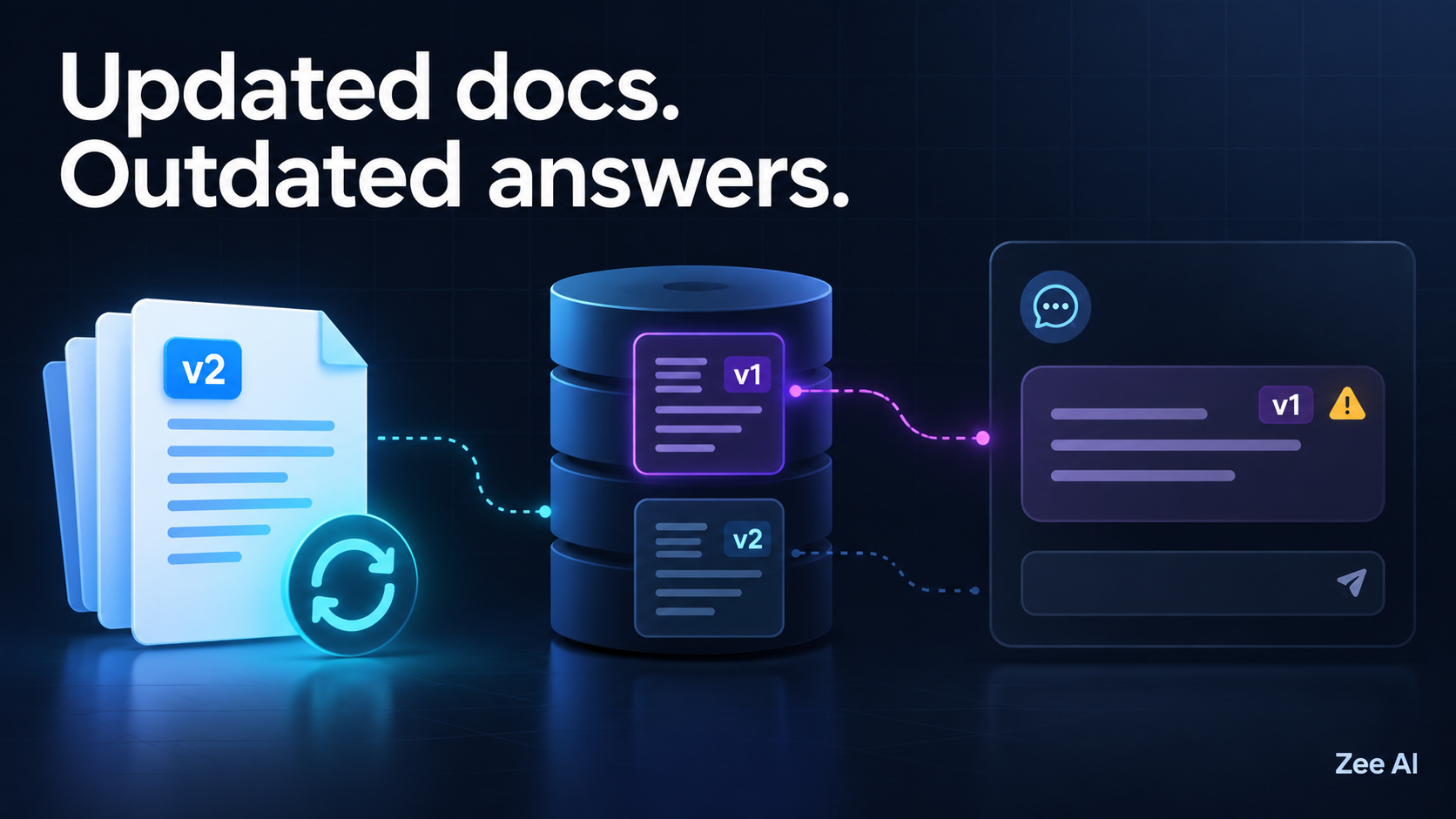
You update a document, upload the new version, and ask your chatbot the same question. It confidently repeats the old answer.
A RAG chatbot can give outdated answers because updating the source document does not necessarily update every place the application reads from. The ingestion job may not have finished, old chunks may remain searchable, a cached answer may bypass retrieval, or the conversation may still contain the previous information.
The most useful first step is to inspect the evidence used for one incorrect answer. Find out which document version reached the model before changing prompts or switching models.
Why uploading a new file may not change the answer
Retrieval-augmented generation, or RAG, connects a language model to external information. A typical document-based application extracts text, divides it into chunks, indexes those chunks, and retrieves relevant passages when someone asks a question.
Depending on the application, those stages may run separately. An upload can succeed while extraction fails. Indexing can finish while the application still searches a different index. Retrieval can return current information while an answer cache supplies an older response.
Think of freshness as an end-to-end property: the current, authorized information must reach the answer, not just the upload folder.
Start with a trace of the incorrect answer
Pick one question with a clearly verifiable answer. Record the source document, the previous answer, and what the current document actually says.
Then inspect these checkpoints:
| Checkpoint | What to inspect | What a mismatch suggests |
|---|---|---|
| Source | Document ID, approved version and effective date | The wrong file or an unpublished revision is being used |
| Ingestion | Job status and extracted text | The upload succeeded, but processing did not |
| Index | Chunk IDs, versions and destination | Old records remain or new records went elsewhere |
| Retrieval | Actual passages returned for the question | Filtering, ranking or index selection is wrong |
| Generation | Context supplied to the model | Current evidence was dropped or conflicting text was included |
| Delivery | Cache status and conversation history | An earlier response or assumption is being reused |
Use restricted, redacted diagnostic logs where documents contain customer information. A trace should reveal the relevant version and processing state without exposing an entire private knowledge base.
An illustrative example: the policy changed, but the answer did not
Consider a fictional support policy. Version 1 allows returns within 14 days. An approved version 2 changes that period to 30 days and is effective immediately.
The following is an illustrative diagnostic example:
| Time | Event | Diagnostic evidence |
|---|---|---|
| 09:00 | Version 1 is active | Searchable chunks contain the 14-day rule |
| 10:00 | Version 2 is uploaded | Source storage contains the 30-day rule |
| 10:02 | New chunks are indexed | Both versions remain eligible for retrieval |
| 10:05 | A user asks about returns | The retrieved passage comes from version 1 |
| After correction | The approved version controls retrieval | The expected passage contains the 30-day rule |
In this scenario, the first failure is visible in retrieval. The model receives an obsolete passage, so asking it to be “more accurate” does not repair the source-selection problem.
The proposed correction is to make only the applicable version eligible, verify retrieval, and invalidate any affected answer cache. The final answer still needs checking: a current passage does not automatically guarantee correct generation.
If the trace instead showed version 2 reaching the model, the investigation would move to prompt construction, conflicting context, conversation history or answer delivery.
Six reasons a RAG chatbot keeps using old information
1. The new document has not completed ingestion
An upload confirmation may mean only that a file reached storage. Text extraction, chunking and indexing may still be queued or may have failed.
Check the extracted text itself. A “successful” processing job is not useful if the changed paragraph was skipped during extraction.
Expose meaningful states such as uploaded, processing, ready and failed. Only show a document as ready for answers when the required processing and verification have completed.
2. The pipeline added new chunks without retiring old ones
Uploading a replacement with a new filename or random record IDs can leave both versions searchable. The older passage may still rank highly because it closely matches the question.
Use a stable document identity across revisions and a distinct revision identifier. Track which chunks belong to each revision so the application can replace, exclude or remove the appropriate records.
For Pinecone specifically, the available update operations depend on the index type. Its documentation distinguishes changes to metadata or vector values from whole-record replacement; a metadata-only change should not be mistaken for rebuilding an embedding from changed text. See Pinecone’s update documentation.
3. The application is searching the wrong destination
The ingestion worker and the chatbot may use different indexes, namespaces, collections or deployment configurations.
For example, the worker may update a staging index while the public chatbot reads production. A tenant identifier may also route the query to a different customer workspace.
Compare the destination recorded by the indexing job with the destination used by the failing request. Do not rely on matching dashboard names alone.
4. A cache is returning an earlier answer
Some applications cache retrieval results or complete answers. A cache hit can bypass the stage you just fixed.
For diagnosis, compare a normal request with an authorized cache-bypassed request in a controlled environment. If only the latter changes, inspect cache invalidation rather than repeatedly uploading the file.
Design cache keys and invalidation around the actual dependencies. These can include tenant, permissions, knowledge-base revision and relevant generation settings. Time-based expiry limits how long an entry lives; it does not by itself ensure that an entry becomes invalid when a policy changes.
5. The conversation still contains the old information
An existing conversation may include an earlier answer, a summary of that answer, or text copied into subsequent prompts.
Repeat the question in a fresh conversation. If the new session behaves differently, inspect the context assembled for the old session.
Define how the chatbot should handle a disagreement between earlier conversation text and current authoritative evidence. Where appropriate, it should explain that the information has changed and cite the applicable source.
6. The system confuses upload time with authority
The most recently uploaded document is not always the policy that should apply. Someone might upload an archived policy today, or publish a new policy that takes effect next month.
Record the information needed to decide applicability: approval state, effective date, scope and document owner. Historical questions may legitimately require an older version.
Make the retrieval rule reflect the question and the organization’s document policy. “Always choose the newest file” is too simple for a collection containing drafts, archives and future changes.
Design document updates as a controlled replacement
A practical update process needs to keep the application usable while preventing a mixture of unintended revisions.
For a small system, a versioned index with a controlled switch may be sufficient. A larger collection may need per-document revision management. The implementation depends on the database and application architecture, but the following design sequence is useful:
- Identify the document. Keep a stable document ID and assign a new revision. Preserve the source location and applicable permissions.
- Process the candidate revision. Extract and chunk the new content. Generate embeddings where the pipeline requires them.
- Verify readiness. Check expected records and run representative retrieval queries against the candidate revision.
- Activate the revision consistently. Use an application-controlled revision manifest or a database-supported switching mechanism. Prevent queries from accidentally mixing obsolete and current records.
- Invalidate dependent caches. Ensure cached answers and passages do not continue serving the superseded revision.
- Retire old records according to policy. Exclude obsolete content from current-answer retrieval and remove records where appropriate. Keep historical access separate when it is required.
This is a proposed design pattern, not an atomic operation supplied by every vector database. Test what happens during the transition, including failed jobs and simultaneous queries.
Retries also need predictable behavior. Reprocessing the same document revision should not create a fresh set of duplicate chunks every time. Stable identifiers or a recorded ingestion manifest can help the application recognize work that has already completed.
Treat deletion as its own workflow
Deleting the original PDF does not demonstrate that its indexed chunks, cached answers or application copies have disappeared.
Track the records derived from each document. Pinecone supports deletion by record IDs and metadata filters, among other options; the correct operation depends on the intended scope. Its delete-data documentation describes those mechanisms. Application caches and other stores require their own handling.
Verify the user-facing behavior after deletion. A query should not recover removed material through a forgotten index, a stale cache or a direct source link.
Distinguish “no longer available to answer questions” from “removed from every retained copy.” Logs, backups and historical records can have separate retention rules. Document those boundaries rather than presenting a retrieval test as proof of complete erasure.
A document-refresh checklist you can reuse
Use a small, controlled set of documents before applying changes to a production collection. Include questions that depend on changed text and questions whose answers should remain unchanged.
| Test | Expected behavior | Evidence to record |
|---|---|---|
| Change one factual statement | Current questions use the applicable revision | Retrieved passage and revision ID |
| Remove a paragraph | The removed paragraph is unavailable to current retrieval | Search results and active chunk inventory |
| Reprocess the same revision | The job does not accumulate duplicate records | Record IDs and counts |
| Fail the update midway | The application follows its defined fallback behavior | Job status and user-visible response |
| Ask from an old conversation | Current evidence is handled according to policy | Assembled context and final answer |
| Repeat a cached question | The superseded cached answer is not served | Cache status and knowledge revision |
| Delete the source document | Removed content is unavailable through the defined serving paths | Retrieval, cache and source-link checks |
| Ask an unaffected question | Unchanged content remains available | Baseline and post-update retrieval |
These checks are a starting point, not a comprehensive reliability assessment. Add cases for your own permissions, document types, update frequency and consequences of an incorrect answer.
Questions founders should ask before launch
Ask the development team what “document updated” means in the product. Does it mean uploaded, indexed, or verified as available to answers?
Agree on a freshness target and how it will be measured. For example, measure the time from an approved source revision to the first verified answer using that revision. Choose a target based on the workflow instead of assuming that every system updates instantly.
Also establish what happens when processing fails. The chatbot might continue using a clearly identified prior revision, temporarily decline affected questions, or route them to a person. The appropriate behavior depends on the importance of the changed information.
If you are planning the wider product, start with how to scope an AI MVP before you build.
Frequently asked questions
Do I need to retrain the language model after changing a document?
In a typical RAG system, external documents are supplied through retrieval rather than incorporated through a new training run. Updating the retrieval pipeline is therefore the relevant first task. If your product also uses fine-tuned knowledge or other persistent stores, inspect those separately.
Should I rebuild the entire vector database?
Not automatically. If you can reliably identify the affected document and its derived records, a targeted replacement may be appropriate. A broader rebuild may be needed when changing the embedding model, chunking approach or index design. Verify compatibility and retrieval quality before switching.
How can I tell whether retrieval or generation is wrong?
Inspect the passages actually supplied to the model. Obsolete passages point to an upstream freshness or selection problem. Current, relevant passages paired with an outdated response call for investigation of prompt assembly, conflicting context, conversation history and delivery caches.
Can a better prompt fix stale answers?
A prompt can tell the model how to handle dates and conflicting evidence. It cannot make an unindexed document available or remove obsolete records from your database. Verify the information flow before treating the problem as prompt wording.
Need help diagnosing an outdated RAG chatbot?
Zee AI’s RAG development services can help you plan a document-based assistant around ingestion, retrieval and application behavior.
For a useful first discussion, prepare one incorrect question, the expected answer, the relevant document revision and any available processing or retrieval trace. That gives the investigation a concrete starting point.