

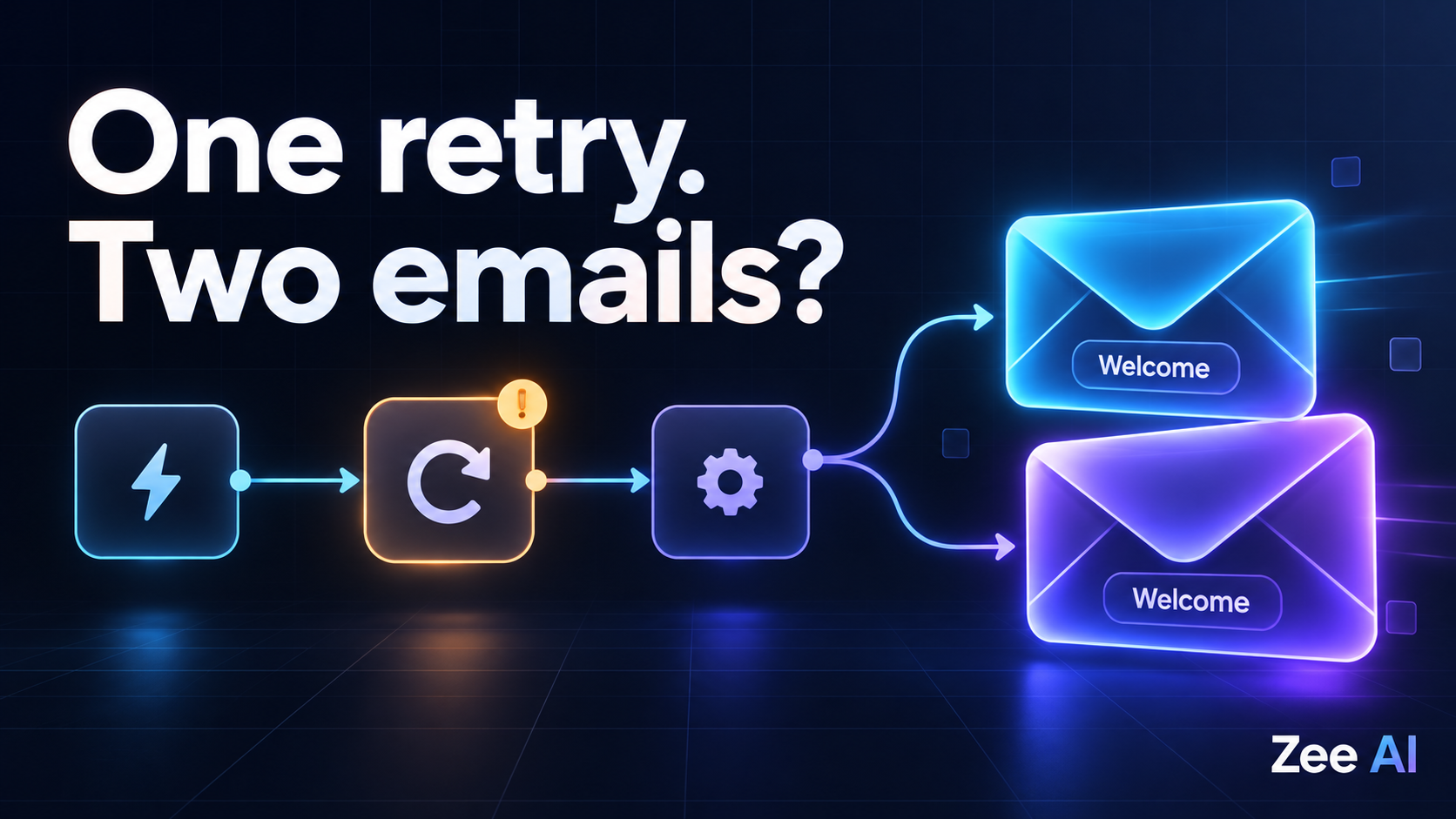
A customer receives the same AI-written email twice. In n8n, the first execution shows an error and the second shows success. From the workflow history, retrying may have looked reasonable.
The missing detail is what happened at the email provider: the first request may already have been accepted before n8n lost the response.
To prevent duplicate emails after a retry, give each intended email a stable business identity, persist its content and sending state, and use the provider's supported idempotency mechanism where available. When the first attempt has an unknown outcome, reconcile it before making a request that could send another message.
Also check upstream causes. Repeated triggers, duplicate input items and multiple workflow branches can send the same email without any retry occurring.
This guide provides a diagnostic example, a proposed workflow design and a test checklist. The examples are illustrative; they are not results from an executed Zee AI benchmark.
Why an error does not mean the email was never sent
Sending an email crosses a system boundary. n8n submits a request to an SMTP server or email API, and that service reports whether it accepted the request.
There is a gap between the provider accepting the message and the workflow recording the result. A network interruption or worker failure during that gap can leave the application uncertain.
Consider a fictional onboarding workflow:
| Time | Event | What the workflow knows |
|---|---|---|
| 09:00:00 | A signup event starts an execution | One welcome email is intended |
| 09:00:02 | The provider accepts the email | The provider has accepted the request |
| 09:00:03 | The response is lost | The workflow cannot confirm acceptance |
| 09:00:10 | The send is repeated without duplicate protection | The provider may accept a second message |
| Later | The recipient receives both messages | One intended email became two submissions |
Provider acceptance is not the same as delivery to the recipient's inbox. Keep those states separate when naming database fields, interpreting callbacks and showing status to operators.
First identify where the duplication begins
Before changing retry settings, compare the source event, n8n executions and provider records for one affected email.
n8n's error-handling documentation explains how to investigate executions and configure error workflows. Its error payload can include execution.retryOf when an execution retries a failed execution. That is useful diagnostic context, but it does not establish whether the email provider accepted a previous send.
| Observation | Possible cause | What to inspect |
|---|---|---|
| Two executions share the same source event | A trigger was delivered more than once | Event ID and delivery attempts |
| One execution supplies repeated recipients to the send step | Duplicate items or a join expanded the data | Input items immediately before sending |
| Different branches reach a sending step | Multiple paths produce the same action | Branch conditions and connections |
| The send step runs again after an error | Retry may repeat an accepted request | Provider acceptance records and timeout timing |
| Sending succeeded, but a later step failed | Replaying the workflow repeats the send | The failed node and existing send record |
| One agent run invokes the email tool twice | The agent repeated an external action | Tool calls and operation identifiers |
Check provider message IDs where available. Two distinct accepted message IDs are stronger evidence of duplicate submissions than two similar entries in an inbox. Conversely, if only one submission is visible, investigate forwarding, aliases and mailbox behavior before assuming n8n submitted twice.
Keep recipients and message contents redacted in shared diagnostic reports.
Separate the execution ID from the intended email
An execution ID identifies a run of the automation. It is not necessarily the identity of the business action.
A retried webhook can start a new execution for the same signup. If the workflow creates a new email identity on every execution, it treats each attempt as a new message.
A proposed business key might look like:
workspace-42/signup-184/welcome-email/recipient-63/revision-1
This illustrative key identifies the workspace, source event, message purpose, recipient and approved content revision. Your exact fields should reflect what makes an email distinct in your product.
Avoid using only an email address: that could block legitimate future messages to the same person. Avoid generating a fresh random key on every retry: that defeats deduplication. A random ID can work if it is created once for the intended operation and then persisted and reused.
Decide what an intentional resend means. It should be a separately recorded operation with an explicit reason, rather than an accidental retry disguised by a new key.
Persist the AI-generated draft before sending
AI introduces another complication: rerunning the drafting step can produce different content.
For a retry of the same intended email, reload the saved recipient list, subject, body and attachments. Do not silently regenerate them immediately before resubmission.
Store a revision or digest that lets the application detect unexpected changes. If the draft is materially edited, handle it as a new proposal under the workflow's approval rules. Merely changing the idempotency key to get past a provider conflict can create another email the business did not intend.
If human review is part of the process, the reviewed content and actual send payload should match. See AI agent approval expiry and changed actions for handling edits, delays and renewed review.
Use durable state to coordinate concurrent attempts
A simple “look up the record, then send if absent” sequence has a race condition. Two executions can both observe that no record exists and both send.
Use a durable store with an appropriate uniqueness rule and an atomic operation to create or claim the intended send. A database uniqueness constraint on the business key can prevent duplicate operation records. A conditional state transition can help ensure that only one worker claims a ready operation at a time.
That does not make the database update and an external email send one atomic transaction. You still need a recovery policy for crashes between those actions.
| Operation state | Meaning | Proposed handling |
|---|---|---|
| Prepared | Validated payload is saved | Eligible for a controlled claim |
| Claimed | A worker owns the current send attempt | Other workers do not independently submit it |
| Accepted | Provider acceptance has been confirmed | Do not resubmit the same operation |
| Outcome unknown | Submission may have been accepted | Reconcile or retry only under a valid provider deduplication contract |
| Rejected | A definitive rejection was observed | Classify the cause before any retry |
| Review required | Available evidence cannot resolve the outcome safely | Operator investigates and records a decision |
Track delivery events separately from submission state. A bounce is not automatically a reason to resend the same message to the same address.
A claim timeout also needs care. An expired worker lease means the worker stopped renewing it; it does not prove the provider never accepted the email. Recovery should inspect the attempt instead of immediately handing a potentially accepted send to a new worker.
Match the send path to the provider's guarantees
The built-in n8n Send Email node sends through SMTP. Other integrations and HTTP Request nodes can use an email provider's API.
Do not assume those paths have identical duplicate-prevention behavior. Check the provider contract and confirm that the n8n node or API request can transmit the required key or header.
As one concrete example, Resend documents idempotency keys with a 24-hour retention window. Its documentation describes an Idempotency-Key header for API requests and a provider-specific Resend-Idempotency-Key header for SMTP. It also distinguishes same-key requests with different payloads from concurrent requests still in progress.
Those are provider-specific capabilities, not a universal SMTP guarantee. Verify support in the actual integration you deploy. Your own durable operation history should cover the business replay period, which can be longer than the provider's key retention window.
| Sending capability | Useful protection | Remaining limitation |
|---|---|---|
| Provider-supported idempotency | Repeated eligible requests can resolve to the original operation | Scope, payload rules and retention limits apply |
| Provider status lookup or event history | Can help establish an earlier submission's outcome | Lookup must reliably identify the operation |
| Local operation ledger | Coordinates runs and remembers completed work | Cannot alone resolve every crash around an external send |
| Generic SMTP without documented deduplication | Can report acceptance when the exchange completes | Lost responses can leave an ambiguous outcome |
Reusing an email Message-ID header is not a universal command to prevent duplicate delivery. Do not claim that it provides exactly-once email sending.
A proposed n8n workflow structure
The following is an implementation plan, not an importable workflow or a claim that each step is a single built-in node. The storage, locking and provider integration must be implemented for the selected stack.
- Receive and validate the event. Identify the workspace, source event and intended recipient. Verify the event's authenticity where required.
- Resolve the business operation. Atomically create or load its persistent record. Repeated deliveries should resolve to the same intended send.
- Prepare and persist the draft. Generate content only when needed, then save the exact send payload and review state.
- Validate execution eligibility. Check required approval, current recipient eligibility and operation status.
- Claim the send. Use a concurrency-safe state transition rather than a separate unprotected read and write.
- Submit with supported duplicate protection. Reuse the stored operation key and payload for eligible retries.
- Record the result. Save the provider ID, response and attempt state. Keep uncertain outcomes distinct from definitive rejections.
- Handle recovery separately. Reconcile ambiguous submissions and retry unrelated downstream work without blindly resending the email.
Keep all sending routes behind the same operation check. An error workflow or agent tool that bypasses it can reintroduce duplicates even if the main workflow is protected.
For an AI agent, let the tool accept or resolve a validated operation ID. The model's wording, confidence or repeated request to “send again” should not independently decide whether an operation is new.
Why Remove Duplicates is useful but insufficient
n8n's Remove Duplicates node offers duplicate filtering for input data, including modes that compare with previously processed items. It can help address repeated records before the sending stage.
Input deduplication and confirmation of an external send are different problems. Filtering a duplicate item does not establish whether a previous SMTP submission was accepted, and a node's history should not be assumed to provide an atomic send guarantee across every worker and replay path.
Use input deduplication where it matches the cause, while retaining an explicit policy for external submission outcomes.
Decide what to retry from evidence
Treat errors according to what is known about acceptance, not simply whether an execution is red or green.
| Failure situation | What is known | Appropriate next step |
|---|---|---|
| Draft generation failed before submission | No send was attempted on that path | Retry generation under the workflow's limits |
| Provider definitively rejected invalid input | Request was rejected | Correct or review the input before retrying |
| Connection failed with uncertain submission progress | Acceptance is not established | Use supported idempotency or reconcile |
| Provider accepted, but the CRM logging step failed | The email submission succeeded | Retry the CRM update without sending again |
| Provider reports a request still in progress | Another attempt is active | Follow the provider's retry guidance |
| Replay occurs after key retention expires | Provider deduplication may no longer apply | Consult durable history and resolve uncertainty first |
For eligible transient failures, use bounded retries and appropriate delays. More attempts are not a substitute for a decision about whether repeating the operation is safe.
Reproduce failures with controlled test messages
Use synthetic events, a test inbox and a controlled failure mechanism. Do not manufacture duplicate messages to real customers while diagnosing the workflow.
To reproduce the opening example, a test adapter or mock provider can record acceptance and then deliberately drop the response. That tests recovery from an ambiguous result. Confirm the behavior of your real provider separately; a mock cannot establish its production guarantees.
| Test | Expected behavior | Evidence to capture |
|---|---|---|
| Same event arrives twice | Both deliveries resolve to one intended email | Business key and operation records |
| Two executions run simultaneously | Only the permitted send attempt proceeds | Claim results and provider submissions |
| Duplicate items reach the send path | Repeated items do not create extra intended sends | Input count and resolved operation IDs |
| Response disappears after acceptance | Recovery does not blindly create a new send | Provider acceptance and reconciliation trace |
| A later database step fails | Retrying that work does not resend the email | Existing provider ID and resumed step |
| Worker crashes before result storage | Recovery handles the uncertain attempt | Attempt state and provider evidence |
| AI draft is regenerated accidentally | Payload mismatch is detected | Saved revision and attempted payload digest |
| A legitimate second notification is due | The new business operation is allowed | Distinct purpose or event ID |
| Old event is replayed after retention expiry | Local history prevents an unintended resend | Persistent operation record |
These are proposed acceptance checks, not passing results. Record the n8n version, relevant node versions, provider, retry settings and tested failure paths with any actual findings.
What an operator should see
An operational dashboard should distinguish provider acceptance, delivery status and unknown outcomes. “Failed” is too vague when the customer may already have received the message.
Useful details include the intended email ID, source event, latest attempt, provider reference and recommended next step. Offer a controlled reconciliation or retry action rather than encouraging operators to rerun the whole workflow from memory.
If an intentional resend is necessary, record its reason and link it to the original operation. This preserves the difference between a recovery attempt and a new customer communication.
Frequently asked questions
Should I disable retries on every email node?
Not necessarily. First establish what repeated submission means for the selected provider and integration. Retrying an unchanged request under a valid idempotency contract differs from repeating an ambiguous generic SMTP send. Avoid automatic retries whose duplicate behavior has not been defined.
Is the n8n execution ID a good idempotency key?
Usually it is insufficient for deduplicating a business event across separate runs. Keep the intended email's identity stable and store execution IDs as attempt-level diagnostics.
Can I mark the message sent before submitting it?
That can prevent some repeats but can also lose a message if the worker crashes before submission. Use an explicit prepared or claimed state, then handle acceptance and uncertainty separately. A premature success flag does not solve the external transaction gap.
Can an error workflow safely resend the email?
Only if it follows the same operation identity, state checks and provider contract. An error handler that always sends again can duplicate a message whose original submission succeeded.
Can I guarantee exactly one email reaches the inbox?
Do not infer that guarantee from a local flag or a provider submission key. Your system can control its intended operations and submission behavior under defined conditions; inbox delivery involves additional systems. State the guarantee you have actually tested.
Make email recovery predictable
The useful outcome is a workflow that can explain whether an email was prepared, submitted, accepted or left uncertain, and can recover without treating every retry as a new message.
Zee AI's AI workflow automation services can help you plan integrations around those operational requirements. For an initial review, prepare a redacted execution trace, the source event ID, the sending provider and the retry settings associated with one duplicate email.
Technical references
Technical references checked on October 19, 2026. Provider contracts and node capabilities can change; verify the behavior of the versions used by your workflow.