

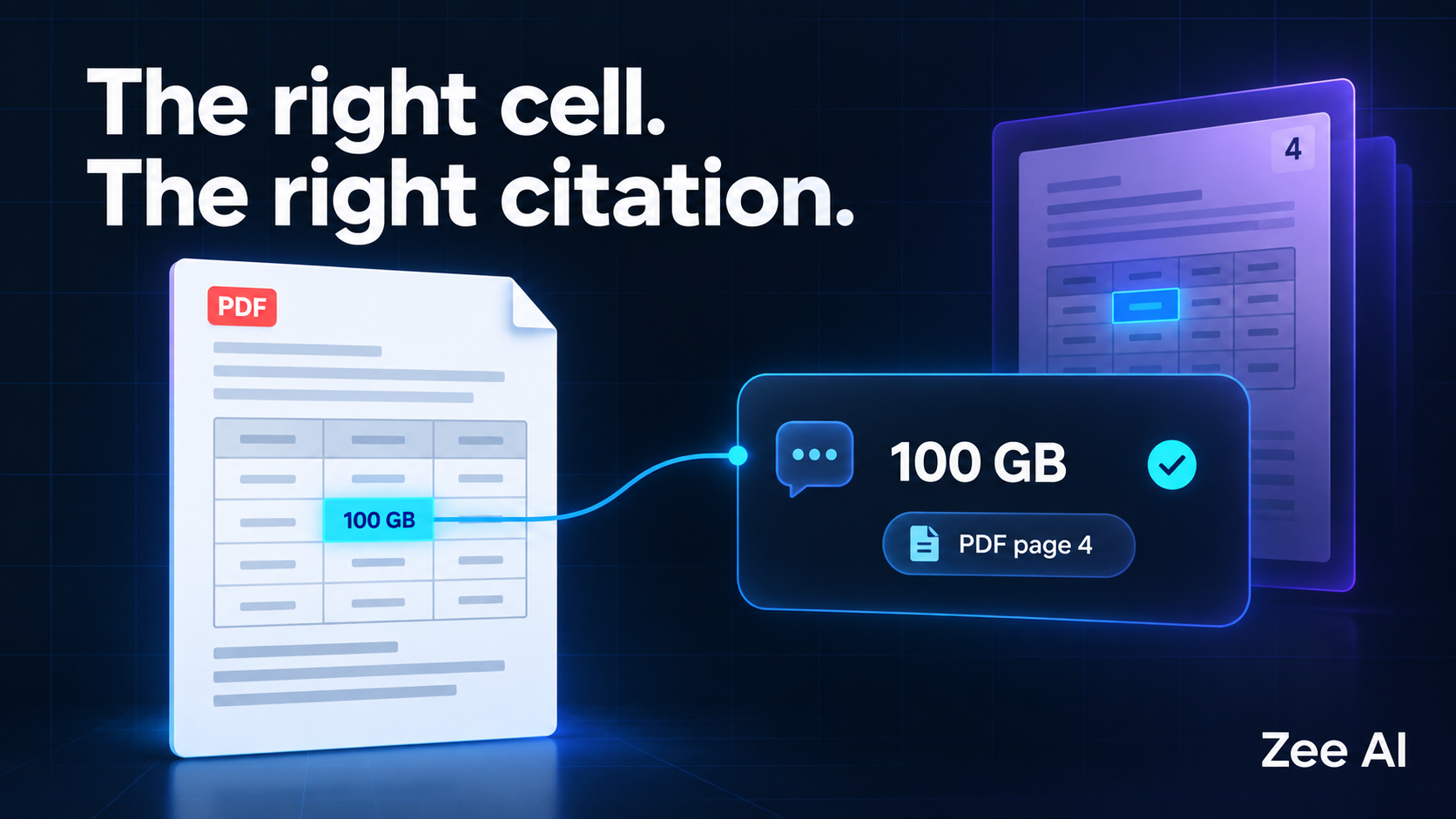
Your chatbot finds the right PDF, quotes a plausible number, and adds a source link. But when you open the document, the number belongs to a different row.
For a product team, this is an important distinction: finding the right document is not the same as finding the evidence that supports an answer.
Reliable RAG over PDF tables requires preserving the relationship between each value, its row and column headers, its units, and its source location. The application must retrieve that context and connect the answer to the correct document version and page. For precise verification, it can also highlight the supporting cells or table region.
This guide explains how to design that evidence path, using a fictional table and a reusable acceptance checklist.
Why PDF tables are difficult for a chatbot
Retrieval-augmented generation, or RAG, retrieves external information and supplies it to a language model when answering a question. Tables complicate this process because their meaning depends on layout as well as text.
A number such as 250 is not a complete fact. It could represent a price, storage allowance, quantity or account limit. Its meaning might depend on a column heading above it, a label to its left and a footnote beneath the table.
Text extraction can lose those relationships. A chunking process can then separate a row from the heading that explains it. Even when the right value survives, the application may lose the page information needed to verify it.
| PDF feature | Possible failure | Information to preserve |
|---|---|---|
| Several numeric columns | A value is assigned to the wrong attribute | Column names and units |
| Merged headings | A value loses its parent category | Complete header hierarchy |
| Table spanning pages | A continuation row loses its headings | Table identity and page-specific provenance |
| Footnote markers | An exception disappears from the answer | Marker, note and affected cells |
| Scanned pages | OCR misreads digits or punctuation | Original image and extraction checks |
| Repeated table titles | Retrieval selects a different section or version | Section, document revision and scope |
The first diagnostic task is to inspect the extracted representation. If it already pairs the wrong row and value, changing the language model will not repair the underlying data.
A worked example: the right document, the wrong cell
Imagine a fictional document called Service Plans, revision 3. On the fourth physical page, a table contains the following values:
| Plan | Included projects | Storage allowance |
|---|---|---|
| Starter | 10 | 25 GB |
| Growth | 50 | 100 GB |
| Scale | 200 | 500 GB |
This is an illustrative example, not a customer result or an executed benchmark.
A user asks: “How much storage does the Growth plan include?”
The expected answer is:
The Growth plan includes 100 GB of storage. Source: Service Plans, revision 3, PDF page 4, Growth row, Storage allowance column.
Several different failures are possible:
| Example answer | Why it fails | What to investigate |
|---|---|---|
| “Growth includes 50 GB.” | It confuses projects with storage | Header-to-value mapping |
| “Growth includes 500 GB.” | It selects the Scale row | Row selection and retrieval context |
| “Growth includes 100 GB,” linking to page 2 | The fact is right, but the location is wrong | Citation metadata and viewer navigation |
| “Growth includes unlimited storage.” | The claim is unsupported | Evidence selection and generation |
A citation is useful only if the destination helps the reader verify the claim. An answer can be correct with a broken citation, or incorrect despite linking to the right document. Evaluate both separately.
Preserve table structure during extraction
Choose an extraction approach based on the documents you actually receive. A clean digital PDF, a scanned report and a rotated photographed page can require different handling.
Tools such as Docling support document parsing, table structure and OCR-related workflows. Those capabilities are starting points for evaluation, not a guarantee that every table will be reconstructed correctly.
Before embedding extracted text, inspect representative examples against the original page. Check:
- Whether each value belongs to the correct row and column.
- Whether headings, units and footnotes remain attached.
- Whether empty cells stay distinguishable from zero or “not applicable.”
- Whether continuation pages are joined appropriately.
- Whether the original source locations remain available.
For a simple table, a readable representation might be:
Document: Service Plans
Revision: 3
Table: Plan allowances
PDF page: 4
Plan: Growth
Included projects: 50
Storage allowance: 100 GB
This representation repeats context intentionally. A retrieved row should remain understandable without requiring the model to reconstruct a detached table heading.
For merged or nested headers, preserve the complete meaning. A cell under “Europe / Annual price” should not become an unlabeled “Price” field.
Choose chunks around the questions people ask
There is no single chunk size that makes every PDF table reliable. The useful unit depends on the task.
| Question type | Candidate retrieval unit | Important limitation |
|---|---|---|
| A value for one named item | Row with headers and relevant notes | Must retain the requested attribute |
| Comparison between two items | Both relevant rows with shared headers | One retrieved row is insufficient |
| Highest value in a table | Complete relevant table or structured query | A top-k sample cannot establish the maximum |
| Total across many records | Structured data and deterministic calculation | Missing rows invalidate the total |
| Explanation of an exception | Affected row plus its footnote | The number alone may be misleading |
A table summary can help retrieval identify a useful table. The answer should still resolve to the underlying evidence, particularly for exact values.
For exhaustive totals, rankings or filters, consider extracting the table into a structured store and performing a deterministic query. RAG can help locate and explain the result, while the application calculates over the defined dataset. Preserve provenance for the records used in that calculation.
Keep a citation record separate from the generated answer
The model should not invent a page number or construct an arbitrary source URL. Give it references to retrieved evidence, then resolve those references through application-controlled metadata.
A useful citation record can include:
| Field | Purpose | Illustrative value |
|---|---|---|
| Document ID | Identifies the source independently of its filename | service-plans |
| Revision | Distinguishes versions of the source | 3 |
| Physical page number | Supports navigation to the PDF page | 4 |
| Printed page label | Preserves the label readers see, if different | 2 |
| Table ID | Distinguishes tables within the document | plan-allowances |
| Row and column | Identifies the supporting relationship | Growth / Storage allowance |
| Region coordinates | Supports highlighting, when available | Stored in the parser's coordinate system |
| Evidence ID | Lets the application resolve a returned reference | plans-r3-growth-storage |
Physical page numbers and printed labels can differ because a PDF includes covers, contents pages or appendices. Store the mapping explicitly and label it clearly in the interface.
For highlights, account for page rotation, dimensions and coordinate conventions. A correct bounding box in the parser's coordinate system may need transformation before it aligns with the document viewer.
Tensorlake's citation-aware RAG guide describes carrying source anchors and spatial metadata through preprocessing and resolving returned citation IDs into visible evidence. The important design principle is to retain provenance before the answer is generated.
Page-level references are a useful minimum for many applications. Cell or region highlights become more valuable when a page contains dense tables or several similar values.
Validate the evidence before displaying the answer
Citation validation has several layers. Some checks are deterministic; others require semantic judgment or human review.
- Resolve the reference. Confirm that the evidence ID exists and refers to material supplied for this answer.
- Check access. Confirm that the requester can access the source and the cited revision. Apply authorization when opening the document as well as during retrieval.
- Check applicability. Confirm that the source matches the intended version, time period and scope.
- Check support. Verify that the row, column, units and notes support the claim.
- Check navigation. Open the page and confirm that any highlight aligns with the evidence.
A valid evidence ID proves that a reference exists. It does not prove that the answer correctly interprets it.
If the necessary evidence is missing or ambiguous, the application should communicate the limitation or ask a clarifying question. For example, “Which reporting period do you mean?” can be more useful than silently choosing one of two nearly identical tables.
Handle tables that continue onto another page
Suppose a table begins on page 4 and continues on page 5. Repeated headings on the second page can be useful, but they can also be mistaken for data rows. A row split by the page break creates another problem: its label and value may have different source locations.
Use a logical table identity while keeping provenance for each contributing fragment. Do not assign the first page of a combined table to every fact it contains.
When an answer depends on a row on page 5 and a qualifying note on page 4, expose both locations. The citation interface should let the reader inspect the evidence needed to interpret the claim, not just the easiest page to link.
Test answer accuracy and citation accuracy separately
Create a small evaluation set using documents you have permission to share internally. Manually record the expected answer and supporting locations before running the chatbot.
The following is a proposed test plan. It contains expected behavior, not measured system results.
| Test case | Expected answer behavior | Expected citation behavior |
|---|---|---|
| Exact value lookup | Selects the requested row, column and unit | Opens the supporting cell or table region |
| Similar row names | Distinguishes the intended item or asks for clarification | Points to the selected item's evidence |
| Merged header | Includes the correct parent category | Preserves the relevant header context |
| Cross-page row | Uses the complete row | Identifies all necessary page fragments |
| Footnote exception | Includes the condition that changes interpretation | Links to the value and qualifying note |
| Missing information | States that the document does not establish an answer | Does not fabricate a supporting reference |
| Source revision change | Uses the applicable revision | Opens the same revision used for the answer |
| Restricted document | Does not reveal inaccessible information | Does not expose a usable unauthorized source link |
Report at least two distinct results: whether the answer is correct and whether its cited evidence supports it. For a small test set, show counts and individual failures alongside percentages.
Also record document types, parser settings, model versions and test date. A result from a few clean digital PDFs should not be presented as evidence of performance on scans, handwriting or an unrelated document collection.
If the chatbot cites an older document after an update, use the diagnostic approach in why your RAG chatbot still gives old answers.
What founders should ask before approving a PDF chatbot
Ask to see a difficult table, not only a clean paragraph demonstration. Choose a document with similar row labels, multiple numeric columns or a page break, then follow the answer back to its evidence.
Agree on the supported document types, the behavior when extraction fails, and the level of citation precision users need. A simple page link may be sufficient for short internal documents. Dense technical tables may need highlighting and explicit units.
Include answer verification and citation navigation in the acceptance criteria. “The chatbot returns sources” is too vague to establish whether those sources actually support the answer.
For a broader product plan, see how to scope an AI MVP before you build.
Frequently asked questions
Can I convert every PDF table to Markdown?
Markdown can represent simple tables clearly. Complex merged headers, page-spanning rows and detailed source coordinates often need a richer internal representation. You can still produce readable Markdown for retrieval while storing structure and provenance separately.
Is a page number enough to make an answer trustworthy?
A page number helps the reader locate information, but it does not establish that the answer selected the correct row or interpreted the units correctly. Validate support and navigation separately.
Does every table need OCR?
No. Digital PDFs may contain extractable text. Scanned pages usually require OCR or another image-based extraction method. Mixed documents may require different processing for different pages, followed by checks against the source.
Should a chatbot calculate totals from retrieved rows?
Only when the system establishes that the required data is complete and interprets it correctly. For repeatable calculations, use structured extraction and deterministic computation, then cite the contributing evidence. A handful of semantically similar rows cannot establish a total for the whole table.
Build a PDF assistant people can verify
The goal is a clear path from question to evidence: the correct table, the correct value, the necessary context and a source the reader can inspect.
Zee AI's RAG development services support planning document-based assistants around practical product requirements. For an initial discussion, prepare a representative PDF and a few questions users need it to answer. Include difficult tables and expected source locations so the scope reflects the real document collection.